NFC Phone Blocker Guide: Do You Need a Physical Tag?

The short answer
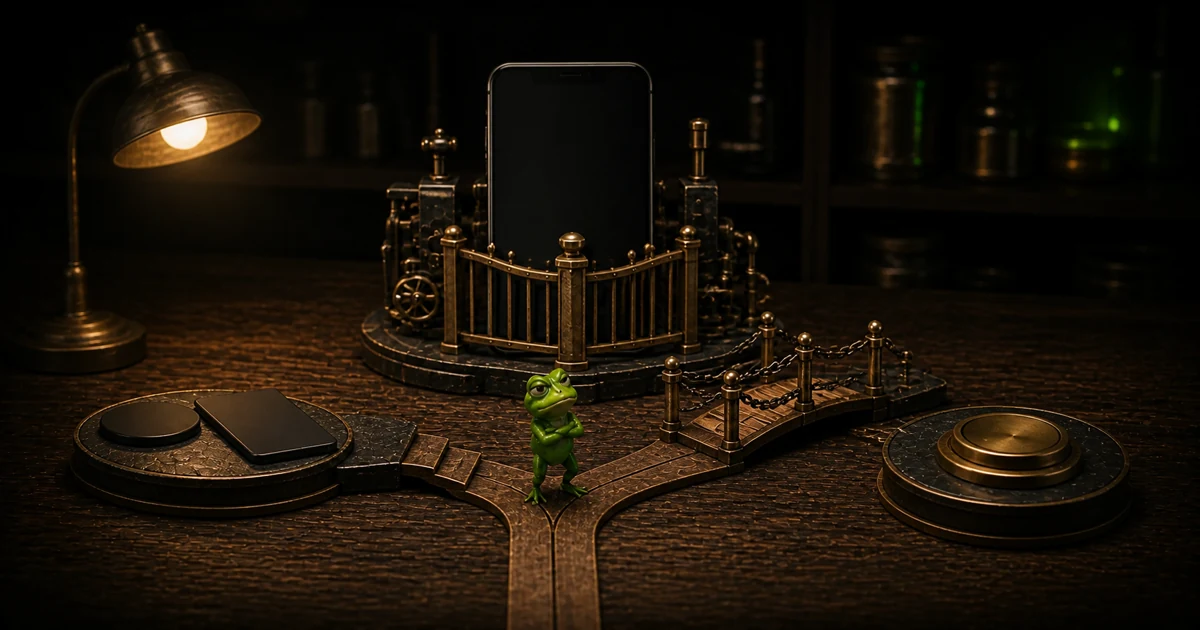
An NFC phone blocker pairs a blocking app with a physical tag or card. The app enforces the restriction; the NFC object adds a real-world action to start or stop it. Buy one only if putting that object elsewhere would interrupt the way you normally bypass an on-phone limit.
A standard NFC tag or printed QR code can provide the physical ritual without a $59 branded device. The meaningful differences are where the key can live, what happens when you need emergency access, which phones the app supports, and what the whole setup costs after subscriptions or paid unlocks.
What an NFC phone blocker actually does
The fuller answer is that the NFC chip is the key, not the lock. A companion app uses iOS Screen Time controls or Android permissions to restrict the apps and websites you select. Tapping the tag, card, or device tells that app to start or stop a blocking session. Put the key across the room and an impulsive unlock becomes a walk and a second decision.
That extra step can help when your usual failure is opening the blocker and ending a session. It does much less when you forget to start the block, carry the key beside the phone, or use an emergency exit every time the urge wins.
This is a primary-source comparison, not a hands-on test. I did not purchase, scan, lose, or try to bypass any of the products below. Every product detail is an untested finding checked against an official site, app-store listing, documentation, or source repository on September 1, 2026. Prices and app requirements can change, so verify the checkout and listing on your own phone.
NFC phone blocker comparison
| Option | Physical key | Platform | Normal way back in | Emergency path | Price checked September 1, 2026 |
|---|---|---|---|---|---|
| Brick | Proprietary Brick | iOS 17+ and Android 12+ | Scan the Brick again | Five Emergency Unbricks | $59 hardware; official shop describes the app as subscription-free |
| Blok | $29 Blok Card or a registered product barcode | iPhone app requires iOS 17+; Android app available | Repeat the registered physical action | Three included Emergency Unbloks; extras listed at $4.99 | $29 card; free app download with optional plans and in-app purchases |
| Foqos | Standard NFC tag or QR code | iPhone; current repository lists iOS 17.6+ | Scan the configured tag or code | Emergency Unblock exists, but the public site does not state a fixed current allowance | Free with no advertised subscription or in-app purchases; supply your own tag or print a code |
| Unpluq | Proprietary Unpluq Tag, optional for software-only use | iPhone and NFC-capable Android phones | Tap the Tag during a scheduled block | Five lost-tag fallbacks over the account lifetime; five-minute Emergency Mode | Free tier for two apps and one schedule; Premium and Tag bundles vary, with the shop showing a $30 starting selection |
| Frogged | None | iPhone | Your configured unlock choice, or the end of the limit or Focus Mode session | No NFC-specific path | Software subscription; current price omitted because it varies and requires live checkout verification |
The table is not a strength ranking. Brick and Blok sell dedicated objects. Foqos lets you supply a cheap generic tag. Unpluq combines a subscription app with an optional proprietary Tag. Frogged is included only as the software-only contrast.
Brick: a dedicated key with a fixed hardware price
Brick’s current shop lists the device at $59 and describes its app as subscription-free. Its current FAQ says one Brick can work with multiple phones, supports iOS 17 or later and Android 12 or later, and includes five Emergency Unbricks.
This is the cleanest purchase model in the group: buy the object, use the companion app, scan again to end the session. It makes sense when you want a dedicated key that can stay on a desk or by the front door. The trade-off is just as physical. If the Brick stays home while you travel, the normal key stays home too.
Our older Brick vs Frogged comparison explains the difference between physical and emotional friction, but its price and feature details are historical. Use the dated primary-source findings in this guide for the current purchase decision.
Blok: more ways to start, stop, and pay
The Blok Card page lists a $29 battery-free card. It also documents scheduled and remote Bloks, short breaks, Strict Mode, three included Emergency Unbloks, and additional emergency exits at $4.99 each.
Blok’s current US App Store listing adds product barcodes as physical keys and shows a free download with in-app purchases. The listing includes a $9.99 monthly plan and several yearly price points without explaining which one a new buyer will see. Its iPhone requirement is iOS 17+, even though the Card sales page still says iOS 14+. Trust the listing shown for your device and inspect the in-app checkout before treating $29 as the full cost.
Blok suits someone who wants a wallet-sized key and more session controls. Those controls also mean more escape routes to understand. A remote session, short break, and paid emergency exit are not the same commitment as one scan-only rule.
Foqos: generic tags instead of branded hardware
Foqos is the useful correction to the idea that an NFC blocker requires a proprietary object. Its current site says the open-source iPhone app is free, has no subscription or in-app purchases, and works with common NTAG213 tags. It can also use a QR code, so the physical key could be a cheap sticker or a printed code fixed to another room.
The current App Store listing is iPhone-only. The source repository documents apps, websites, manual starts, tags, codes, timers, breaks, and schedules. Repository history also shows an Emergency Unblock feature. A closed issue reported that changing the date could refill emergency unlocks. The public site does not state a fixed current allowance, so I would not buy a tag on the assumption that the escape path is sealed.
Choose Foqos when the physical action matters more than owning a polished branded device. You will need to source and configure the tag yourself, and this run does not establish how reliably that workflow behaves on your phone.
Unpluq: a tag tied to a subscription model
Unpluq’s current FAQ says the software works on iPhone and NFC-capable Android phones. A free tier blocks two apps on one schedule. The proprietary Tag is optional if you only want digital barriers, but the Tag workflow requires Premium.
The emergency rules are unusually specific. If the Tag is lost, the app can replace it with another barrier five times over the life of the account. Emergency Mode gives five minutes of full access. That is useful safety information, and also part of the bypass model.
The official shop showed a $30 starting selection when checked, but the amount changes with subscription length and whether the Tag is included. There is no honest single price to copy from the page. Check the exact bundle, renewal, and country shown at checkout.
Unpluq fits someone who wants schedules and several kinds of deliberate friction, with the physical Tag available as one barrier. It is less attractive if your goal is a one-time hardware purchase with no recurring plan to inspect.
Choose the physical key by your failure mode
Start with how your current boundary fails, then compare prices.
You end every software session from the same couch. A dedicated device left in another room creates useful distance. Brick and Blok package that ritual. Foqos can reproduce the basic trip with a standard tag.
You forget to turn the block on. Look for schedules or a separate daily-limit model. An NFC tap cannot help if you never make the first tap. Blok, Foqos, and Unpluq document scheduling options, while Frogged uses daily duration limits and manually started Focus Mode sessions.
You need the rule at home and at work. One stationary key may protect only one location. You can move a card with you, register more tags where the app allows it, or use a software boundary that travels with the phone. Portability usually reduces distance, though. A card in your wallet is also a card within reach.
You repeatedly use the emergency exit. Compare the emergency rule before comparing the mascot, material, or app design. A limited exit, a paid exit, a temporary break, and a refillable allowance create different incentives.
You want the ritual but not the hardware bill. Foqos shows that the object does not need custom electronics. A standard NFC tag can supply the physical action. The remaining value of branded hardware is setup, product support, industrial design, and whatever enforcement the companion app adds.
Read the emergency exit before the feature list
Emergency access is necessary. A blocker should not strand banking, travel, medical, authentication, or communication apps because a tag disappeared. But the safety exit is also the route you will negotiate with at 11:47 p.m.
Before choosing a product, answer these questions from its current documentation:
- How many emergency exits are included?
- Does an exit end the whole session or grant a short break?
- Does the allowance reset, refill, or cost money?
- What happens when the physical key is lost or damaged?
- Can you delete the app, change permissions, start a remote session, or edit the rule while blocked?
- Which essential apps remain available without an emergency exit?
None of the official pages proves that a product is impossible for every person to bypass under every operating-system condition. Treat “strict” as a configuration to test, not a guarantee printed on the box.
If you are still deciding whether you need hardware at all, start with our broader guide to how app blocking works on iPhone. Match the restriction to the exact loophole you keep using.
Where Frogged fits, and where it does not
Frogged is not an NFC phone blocker. There is no card, tag, scan, or physical key.
Current Frogged code lets an iPhone user select apps, categories, and web domains, assign a daily duration on chosen weekdays, and decide whether unlocking is allowed. When the configured threshold is reached, iOS applies a Screen Time shield. Frogged can also run a manually started Focus Mode session and schedule roast-style notifications around a limit.
That model fits a different failure. Choose it when you want a daily allowance, do not want to carry another object, and find confrontational humor more memorable than a neutral timer. Do not choose it when every control left on the phone becomes something you override. A frog can call out the behavior; it cannot move the key to the kitchen.
The broader best app blockers for iPhone guide covers more software options, but some competitor facts in that older article are stale. Verify any purchase against current official listings.
A five-minute buying test
Do this before ordering a card or configuring a pile of tags.
- Write down the last three times you overrode a phone boundary.
- Name the exact action that defeated it: ending a session, tapping an ignore button, changing permissions, deleting the blocker, or never starting it.
- Pick the place where an NFC key would live.
- Walk from your usual scrolling spot to that place.
- Ask whether you would make that trip for a mindless check. Then ask whether you would simply use the documented emergency path.
- Verify your phone’s current app-store requirement and the full checkout price.
- Start with one problem app and one location. Test the ritual before building a tiny museum of focus accessories.
If the walk interrupts the impulse, an NFC blocker has a job. If the answer is “I would keep the card in my phone case,” you have invented contactless Screen Time with extra steps.
Frequently asked questions
Do NFC phone blockers work without a subscription?
Some do. Brick’s current shop describes its $59 device and companion app as subscription-free. Foqos advertises a free open-source app with no subscription and works with standard NFC tags. Blok offers a $29 card but its iPhone app also lists optional plans and in-app purchases. Unpluq’s physical Tag workflow requires Premium. Verify the current checkout because these terms can change.
Can I use any NFC tag to block apps?
Only when the companion app supports generic tags. Foqos explicitly documents common tags such as NTAG213. Brick, Blok, and Unpluq sell their own physical keys, although Blok also documents registered product barcodes. The tag itself does not enforce the restriction; the app must recognize the input and apply the block.
What happens if I lose the NFC tag?
It depends on the product. Brick documents five Emergency Unbricks. Blok includes three Emergency Unbloks and sells more. Unpluq documents a lost-tag fallback that can be used five times over the account lifetime plus a five-minute Emergency Mode. Foqos has an Emergency Unblock feature, but its public site does not state a fixed current allowance. Read this rule before starting a strict session.
Is an NFC phone blocker impossible to bypass?
No current official source can prove that for every user, phone, permission state, and operating-system version. Physical distance can make the normal unlock inconvenient, while emergency exits, app deletion, permission changes, breaks, remote controls, or implementation bugs may create other paths. Test the exact setup with nonessential apps before trusting it during travel or work.
If a daily allowance and a mean frog fit your failure mode better than carrying another object, try Frogged on iPhone. You choose the apps and time; I’ll make running out embarrassing.